A keyword rank checker that shows your real position.
Check where you rank on Google, keyword by keyword, then keep watching without lifting a finger. BotSEO combines your Search Console data with live SERP scans from several US cities, and tells you the same day a keyword slips.
Automatic tracking. Real local positions. No credit card.








More than 800 professionals already grow their visibility with BotSEO
What is a keyword rank checker?
A keyword rank checker is a tool that reports where your site sits in Google's results for a given query, without the personalization that distorts a manual search. Typing your own keyword into Google tells you very little: the results are shaped by your search history, your account and the city you are sitting in. A rank checker queries the results neutrally instead. The useful ones go further and keep a record, so a single answer becomes a trend. BotSEO reads positions from Google Search Console and verifies them with live SERP scans by city and device, which is how you tell the difference between a national average and your actual rank where your customers are searching.
What gets tracked
From a single keyword to the whole picture of your search visibility.
Position for every keyword
Each query you care about is followed on its own, with today's position, its best result so far, and the direction it has been moving in.
Day by day history
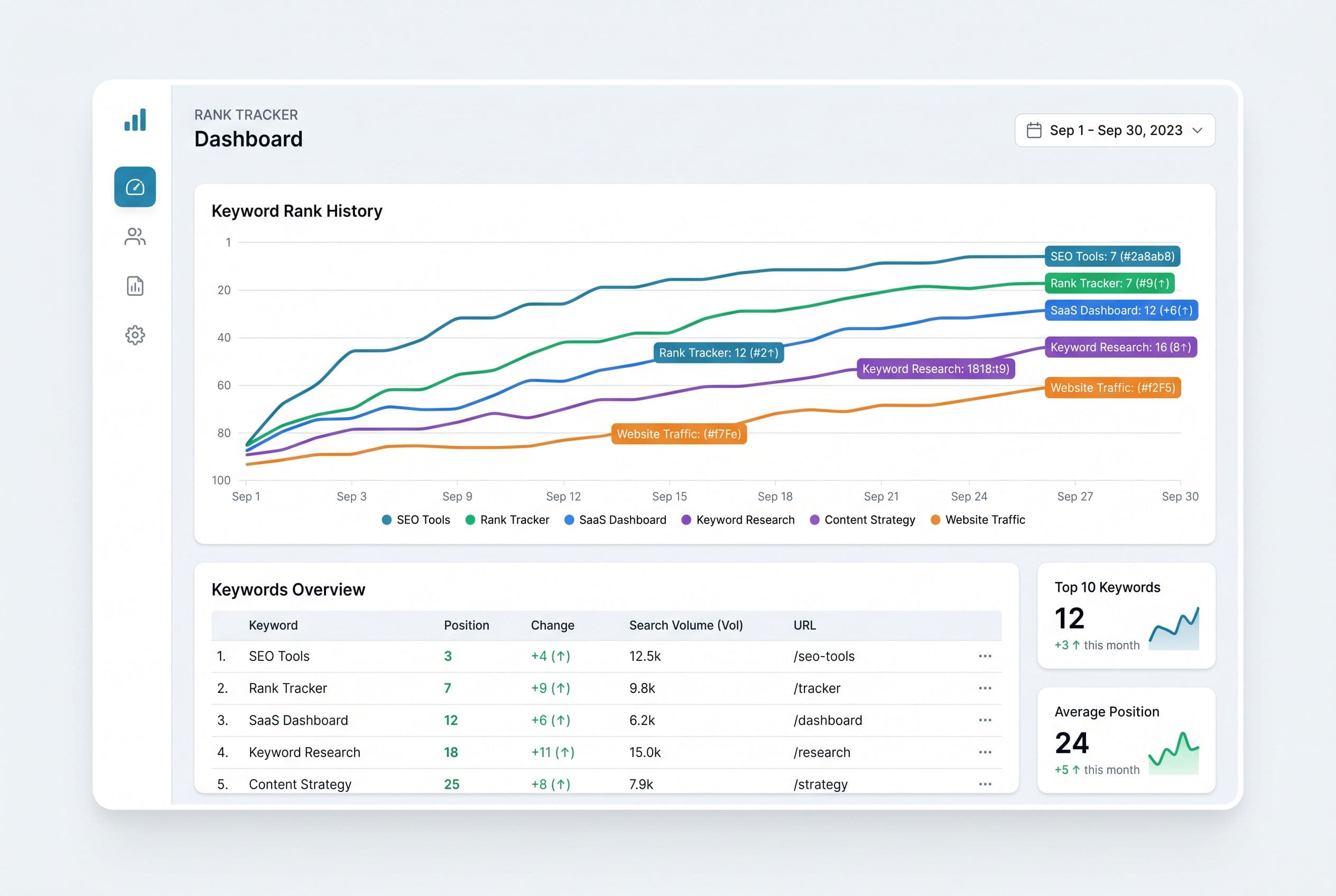
One curve per keyword, from your first check to this morning. You see what is climbing, what has flattened out and what quietly slipped off page one.
Real positions by city
BotSEO scans live results from several US cities. You get your actual local rank rather than a national average that describes nobody in particular.
Mobile and desktop apart
The same keyword can put you third on a phone and seventh on a laptop. Both are tracked separately, because you cannot fix a gap you cannot see.
Top 3 and first page counts
How many keywords hold the top three, how many sit on page one, and how many are stuck at the top of page two waiting for a small push.
Drop alerts
When a keyword loses ground, you hear about it the same day. You react while it is still a dip instead of discovering it as a quarter of lost traffic.
How the rank checker works
Three steps to go from a one-off answer to continuous tracking.
Add your site and your keywords
Enter your domain and connect Search Console. BotSEO pulls the queries that already earn you clicks and lets you add the ones you are chasing.
Positions get checked every day
Data comes from Search Console and is verified against live SERP scans across cities and devices, so you are not relying on a single source.
You watch, and you get warned
Curves, a sortable table and a full history per keyword. When something drops, an alert reaches you instead of waiting in a dashboard.
A curve that tells the story
Every tracked keyword carries its own curve, from the first check to today. The shape tells you more than any single number: a query climbing out of page two, a position sagging after a core update, a seasonal peak that returns every year. The table sorts by current position and by movement, so the keywords gaining ground and the ones sliding are the first two things you see.
- A position curve for every keyword over your chosen period
- The real position per city, kept separate from the Search Console average
- How many keywords hold the top 3 and how many hold page one
- Mobile and desktop broken out for each query
- An alert every time a keyword drops meaningfully
Your real position, not a blended average
The position Search Console reports is an average, computed across devices, locations and days. It is excellent for spotting a trend and misleading for anything else, because it hides your true rank in any specific place. BotSEO adds live scans of the results from several US cities, on mobile and desktop, so you can see where you actually land when someone searches near your business.
Rank checking sits in the same workspace as the rest of your search work, so a position you do not like is one click from the thing that fixes it.
Frequently asked questions about rank checking
How do I check my keyword ranking on Google?
Searching your own keyword gives a distorted answer, because Google personalizes results using your history, your account and your location. A keyword rank checker queries the results neutrally instead. BotSEO reads your positions from Search Console, verifies them with live SERP scans from several cities, and stores everything so you can look back rather than guess.
Is there a free keyword rank checker?
You can start here for free, without a credit card: connect your site, add your keywords and see your first positions. Daily tracking at scale, unlimited multi-city scans and continuous alerts belong to the paid plans, which start at 29 euros per month.
Why does Search Console show a different position?
The Search Console figure is an average across devices, locations and days. It smooths the extremes and lags slightly behind. A live scan reports your exact rank for one city and one device at one moment. Both are worth having: the average for the underlying trend, the live position for where you actually stand today.
How often are rankings updated?
Daily. Search Console data arrives on Google's own schedule, while live SERP scans run on a regular cycle and can also be triggered on demand when you want to confirm something right now.
Can I track rankings in different cities?
Yes, and it matters more than most people expect. A query that puts you second in Austin can put you eleventh in Chicago, especially in any market with a local intent. BotSEO scans several cities separately so you can see the spread rather than one blended number.
Is this rank tracking software or just a one-off checker?
Both, and that is deliberate. You can check a keyword once to answer a question. But the value shows up over weeks, when the same keyword has a history, a trend and an alert attached to it. Nothing extra to configure: the first check starts the tracking.
Run your first keyword rank check free
Add your site, pick your keywords and let BotSEO follow your Google positions day after day. You will finally know where you actually rank.
Start freeNo credit cardReal positions, city by city